Geomtric 3D Digital Paper Patterns
Hi there—I’m AJ. I’m a professional graphic designer with years of experience crafting logos, patterns, and visual assets for real-world use. Beyond logo design, I’ve helped creators bring ideas to life through print-on-demand products, posters, textiles, and digital backdrops. This Geomtric 3D Digital Paper Patterns collection is one of those rare, versatile tools: simple in execution but rich in application. It’s not just eye-catching—it’s engineered for flexibility across platforms and purposes.
What Makes These Patterns Stand Out—And Why They Matter
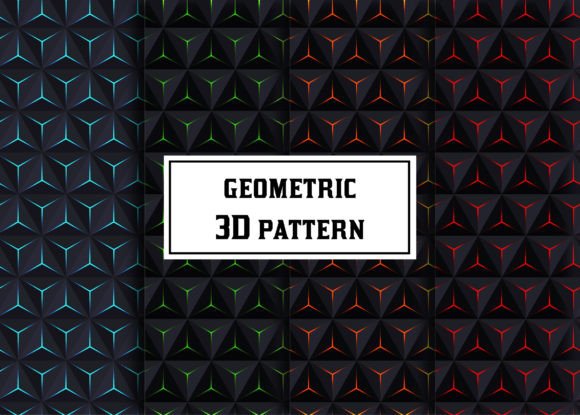
Geomtric 3D Digital Paper Patterns blend clean geometry with subtle depth cues—think interlocking cubes, layered hexagons, or tessellated pyramids rendered in soft gradients and balanced color palettes. Unlike flat 2D repeats, these patterns simulate dimensionality without overwhelming the viewer. That makes them ideal for modern branding, packaging mockups, social media templates, fabric previews, or even classroom visuals where clarity and engagement both matter.
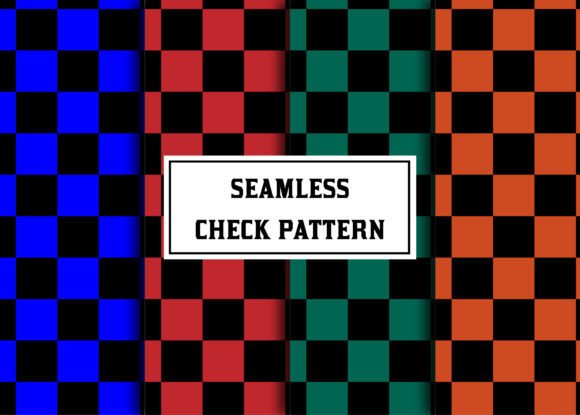
But here’s what many overlook: not all “3D” patterns deliver true usability. Some rely too heavily on heavy shadows or complex lighting that don’t scale well. Others lack seamless tiling—causing visible breaks when repeated across large surfaces like banners or wall art. This package avoids those pitfalls. Each of the four included concepts is rigorously tested for scalability, color harmony, and repeat integrity.
A Common Mistake: Assuming All Pattern Files Are Created Equal
One of the most frequent missteps? Downloading a pattern set without checking file types—and how they’re organized. You might find JPEGs labeled “high-res,” only to discover they’re 800×800 pixels and can’t stretch beyond a small social post. Or you’ll get an AI file where patterns are embedded as placed images—not swatches—meaning you can’t recolor or adjust them efficiently.
In this Geomtric 3D Digital Paper Patterns package, every format serves a clear purpose:
- JPEGs (800×800 px): Perfect for quick previews, mood boards, or thumbnail placeholders—no editing needed.
- AI file with swatches: All four patterns live in your Swatches Panel, ready to apply, recolor, resize, or layer instantly within Illustrator.
- EPS file with swatches: Ensures compatibility with older versions of Adobe software and supports vector scaling without quality loss—even for large-format printing.
That swatch-based structure isn’t just convenient—it’s essential for professionals who juggle multiple client projects. Imagine adjusting a brand’s primary palette: with swatches, you change one color and all four patterns update in sync. Without them, you’d manually tweak dozens of objects—wasting time and risking inconsistency.
Another Overlooked Detail: Color Mode and Intended Use
Many designers grab patterns without confirming whether they’re built in RGB or CMYK. If you’re designing for web or screen—like Instagram posts or website backgrounds—RGB gives richer, more vibrant results. But if you’re prepping files for print-on-demand services (think mugs, tote bags, or posters), CMYK ensures accurate ink reproduction.
This Geomtric 3D Digital Paper Patterns set is delivered in RGB by default—a smart choice for versatility. Why? Because RGB files convert cleanly to CMYK *when needed*, but the reverse isn’t always true. Plus, most POD platforms accept RGB and handle conversion internally. So unless you’re sending files directly to a traditional offset printer, RGB gives you more control and better fidelity out of the gate.
Don’t Skip the Preview—Especially for Real-World Context
It’s tempting to judge a pattern solely by its thumbnail. But context changes everything. A bold geometric repeat that looks energetic on a phone screen might feel chaotic on a full-size poster—or too quiet on a textured fabric preview.
Before committing, test each pattern at actual size:
- Drop one into a mockup of your intended product—whether it’s a notebook cover, Shopify banner, or presentation slide.
- View it on different devices. Does the depth effect hold up on smaller screens?
- Print a quick 4×6 sample. Sometimes subtle gradients or fine lines disappear or blur when printed—especially on uncoated paper.
These four concepts were designed with that reality in mind. The depth is achieved through shape layering and controlled contrast—not extreme drop shadows or noise—so they retain legibility and impact whether scaled down to a favicon or blown up for a tradeshow backdrop.
Why “Simple Yet Colorful” Is a Strategic Advantage
Some designers chase complexity—adding extra elements, textures, or gradients thinking it adds value. But in practice, overdesigned patterns limit adaptability. They compete with typography, overwhelm photography, and rarely translate well across mediums.
These Geomtric 3D Digital Paper Patterns stay intentionally focused: strong shapes, thoughtful spacing, and carefully curated color families (not random brights). That means they pair effortlessly with minimalist logos, support bold headlines without clashing, and provide visual interest without demanding attention.
For educators building lesson slides, that means less distraction and more retention. For entrepreneurs launching a new product line, it means cohesive branding across packaging, website, and ads—without hiring a separate illustrator for each asset.
Final Check Before You Use or Share
Before applying any pattern—especially across client work—verify three things:
- Licensing clarity: This package is for commercial use, including POD and client projects—but always confirm the license terms match your specific need (e.g., unlimited end products vs. limited runs).
- Software version compatibility: The AI and EPS files are built in Illustrator CC 2020+, so if you’re using CS6 or earlier, open the EPS first to ensure smooth import.
- Color consistency: If you plan to recolor, check whether gradients are editable (they are here) and whether transparency effects are flattened (they’re not—giving you full control).
When you choose thoughtfully—checking formats, testing contextually, and respecting technical boundaries—you don’t just save time. You build trust with clients, avoid costly revisions, and create work that feels intentional, not improvised.
These aren’t just patterns. They’re reliable starting points—designed by someone who’s spent years solving the same problems you’re facing right now.